
There’s plenty of options when it comes to routers but, what’s the best router under $100 – $200 for the gamer on a budget? We’ve done the research, the grind and have found ten routers that will do you justice. These routers are built for high performance on a budget. We made sure they are time tested so they’ll last you a long time, double checked that customers that already own them love them, and we made sure they would be the very best for you.
As always when doing these sort of reviews we have the geek & gamer in mind. We want you to be completely happy if you decide to purchase one of these devices. Also if you know a great router we may have missed don’t be afraid to mention it in the comments below. We will review it and if we like it may add it to our list.
The Best Router Under $100 – $200
this site may earn a commission if you make a purchase from the product links below to Amazon. Also note that some products have a MSRP over $100 and the valid price is what you see on the Amazon link you click.Our list of best routers under $100 is sectioned in half. The first five routers are the higher end routers for this budget and the bottom half are your more casual internet users. Now that may not mean a whole lot for some of you but, if your household has a couple gamer’s then I recommend one from the first half on the list.
Most people will be completely satisfied by a well rounded device like the TP-LINK Archer C7 AC1750. This router will work great for the majority of households with mixed internet needs.
Can it handle my speed?
An important question to know is if the router is going to be able to handle your internet speed. For most people this own’t be an issue and you won’t have to worry about this. If your internet is above 100mbs then you may want to begin to understand what to look for in speed for a router.
You’re looking for a section on the box that says something like “Ethernet Interface“. It will have a break down of what each port can handle. Just because the router may say 1300Mbs on the front of the box that does not mean it can handle that sort of connection. So make sure to double check what each Ethernet port can handle. As long as your connect isn’t over 100mbs then all the routers on our best router under $100 list will be fine for you.
Tips for a faster Wi-Fi Speed?
A lot of people don’t realize that where you place your router can greatly affect its performance. Placing the router in the center of your house is ideal. It will product signal out in all directions evenly. Our best router under $100 should be treated the same way.
The more walls between the router and your device the weaker the signal can become. Keep the router up off the floor so you’re not projecting signal down into the ground or basement for no reason. Mounting it on the ceiling is actually the most recommended method.
Point the antennas in different directions. This will allow the signals to make a better parallel match giving you a stronger signal strength.
The Breakdown
So let’s break down these routers and talk a little about each one. Hopefully this will give you some additional insight into the best router under $100 – $150. They each have different features so there may be one that suits you better than the other.
Please remember that prices change all the time and the price that you see for these products on Amazon or other retailers is the actual cost, which we have no control over.
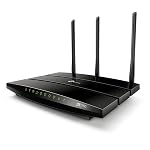 First on our list is the (1) TP-LINK Archer C7 AC1750 this is a great well rounded router. It’s the one we recommend for most people due to it having above average set of features.
This router has a gigabit WAN port as well which makes it great for newer modems companies are coming out with. It also comes with USB ports which is great for things like setting up a printer straight off the router without the need for a host computer.
Many consumers regard this router as best in class at this price point.
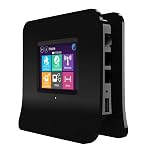 The (2) Securifi Almond router has a unique touchscreen set up feature. You can establish this set up very quickly without the need for any PC, MAC, or web browser. This can be a very useful feature for those not the most technologically savvy.
This companies customer service is highly recommended as well by other consumers. There are a lot of instances online where people have received a very positive customer service experience if they had needed to call. So all in all for this router… it’s great if you don’t really know what you’re doing! Plus it’s got the power to handle gamer’s & your average internet browsers alike.
The (3) Afoundry Wireless Router is a great long range router. If you have a bigger house with a lot of walls or anywhere with a large area.
It could be a business location or outdoor event where you want Wi-Fi. This router can handle 50 different devices at once. With that kind of power it can pretty much handle anything you throw at it.
 The (4) NETGEAR N750 is a great fit for the best router under $100. It can handle high speed connections while providing a larger range of connection in comparison to other routers.
This is a really great router for online gaming, HD streaming, and large media downloads. If you’re a big time media lover than this is a really great option. If your house is full of gamer’s than it’s an ever better option!
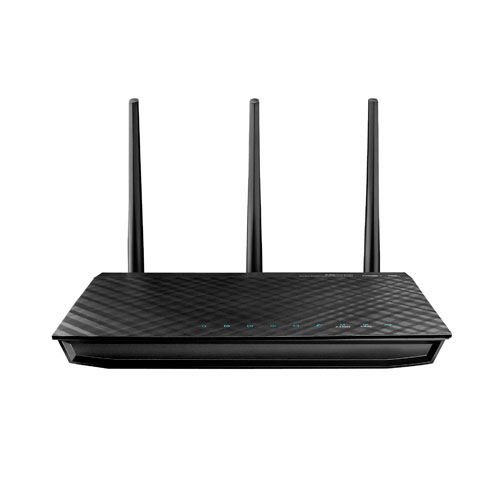 The (5) ASUS RT-N66U router is a strong router that allows 3G and 5G wireless connections. You can allow your guests to connect to a 3G home network so they have access but, at the same time aren’t going to hog up all your bandwidth.
That’s also a really great feature for those with kids that sometimes may need punishment for being bad, ha ha! If they start acting up well… slow their internet down or simply change the password for one of the connections.
I own one version of this ASUS router and I absolutely love it. It’s done well by me and definitely going to last a long time.
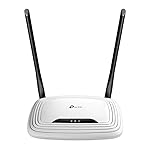 The (6) TP-LINK TL-WR841N router is a lower end router that surprisingly packs a punch. It won’t be able to handle the 100mbs connections that a lot of cable companies provide but, if your someone who casually browses the internet or only uses Facebook this can be a great choice.
It’s only around twenty bucks and has great consumer reviews. It also includes parental controls for those with children. A great feature that is sometimes overlooked.
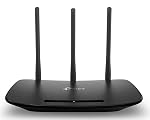 The (7) TP-LINK TL-WR940N router made our list of best router under $100 because of its well rounded abilities.
It’s a great router for those that love media streaming but, don’t really game. So if you’re a binge watching Netflix user than this is a good choice. It has the bandwidth you’ll need to handle those long multi season sessions.
If you Netflix & Chill then you got to make sure you can keep it up, right? Of course I’m talking about the show though. What did you think I was referring to?
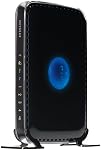 The (8) NETGEAR N600 router is a middle grounds router. It’s great for gamer’s and it’s only priced around fifty dollars. This is a big factor on why it made our best router under $100 list.
The ideal Wi-Fi range for this router is for medium to large homes. Includes simultaneous dual band which reduces any interference to your connected devices. No one likes being in the middle of a game session or Netflix show and having to reboot their router.
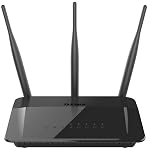 The (9) D-Link DIR-813 AC750 router comes to you from a great and trusted company D-Link. Consumers have been trusting this companies with a wide variety of products for a long time now and their routers are no exception.
They consider this router to have next generation wireless technology. Basically the latest and greatest! However in the tech world that’s always happening every 30 days or so.
No matter because with a overwhelming positive review board from current owner you can feel assured in your purchase.
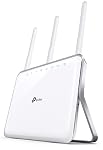 Last on our best router under $100 – $150 list we have the (10) TP-LINK AC1900 router. This is a higher end router that sometimes is a little more than the $100 price range but, not by much. It was just too good to leave off our list when it’s so close to meeting the budget.
Supports 802.11ac which is basically next gen Wi-Fi. Almost 2 gigabytes of available bandwidth so it definitely can handle almost anything most homes will throw at it.
Also provides the new beamforming technology which locates wireless devices to create a stronger connection. So for something maybe just slightly over the budget you’re getting a lot extra. If you can stretch the pocket book just a tad then I really really recommend this router!
So that concludes our best router under $100 post. Hopefully this helped you a lot and please leave us a comment below. Let us know what you think!